Why I Built Heatiz
I’ve been making an effort to build habits around different sports that I like. I run, swim, ride a bike, and play 5-a-side football matches. Tracking my workouts keeps me motivated to do more of each sport. When I hit a new goal, I want to push further. I do these sports as regularly as possible, but the frequency changes with the season.
However, I’ve played football almost every week for the last two years, in every season, without tracking a single match. My watch’s own workout didn’t help me. So I decided to build an app for that. It could show the stats that HealthKit gives me, plus my sprints and a heatmap based on the collected data. I wanted to centre the app on the one thing that could make a difference: heatmaps. They always interested me, because they help answer a question I had after every match: did I position myself correctly?
That’s how Heatiz started. I tested it for months, recorded real games every week, and iterated on the performance, design, and user experience. I shared it with several other players and improved it based on their feedback. Finally, I published the first version on the App Store.
Football has a shape. Fitness apps ignore it
For most fitness apps, a football match is just another run. They show your distance, pace, and heart rate, and maybe your route on a map. But in football, distance only tells part of the story. I also want to know where I played: which zones I covered, where I sprinted, and how that changed after half-time.
Pros have GPS vests and analysts who read the data for them. Amateur players like me don’t have that. But many of us already wear an Apple Watch that collects similar data during a match.
I tried the soccer workout on the Apple Watch and a few other apps. Generic workout apps record the data and leave it there. The football apps I found weren’t much better: some needed extra hardware, others drew a heatmap that ignored the real pitch, and most weren’t simple to use.
None of the apps I tried handled the basics of a real match. Teams switch ends at half-time, and if the app doesn’t know that, your heatmap mixes both halves together. Warm-up isn’t the match either: ten minutes of jogging by the touchline shouldn’t count towards your stats. Every pitch is different, so the heatmap should be drawn on the actual pitch, with the right size and orientation. And a match isn’t only movement. You also want to log goals, assists, positions, and how you rated your own game, right after the final whistle. Heatiz handles them.
What Heatiz does
You start a match on your Apple Watch and play. Heatiz tracks your GPS the whole time and saves the match as a soccer workout in Apple Health, so it still closes your rings. At half-time you tap once to switch sides. After the final whistle you rate your game, log goals and assists, and mark your positions, all from your wrist. You can see all your statistics and preview your heatmap before you leave the pitch.
On the iPhone, every match turns into a full review. Only the match itself counts, so your warm-up stays out of your stats. And if there’s too little GPS data to draw a truthful heatmap, Heatiz doesn’t show one.
- A heatmap on the real pitch you played on, in styles from a classic glow to hex, contour, or a trail coloured by speed
- Movement stats used in pro football: top speed, sprints (counted from 25.2 km/h, the threshold FIFA and UEFA use), high-speed running, speed zones, and a first-half vs second-half comparison
- Saved pitches that Heatiz recognises and applies automatically next time
- A readiness score built from sleep, heart rate variability, and training load, saved with each match so you can see how fatigue affects your game
You also get season trends, home screen widgets, a watch complication, and share cards for Instagram, the team group chat, or Strava.
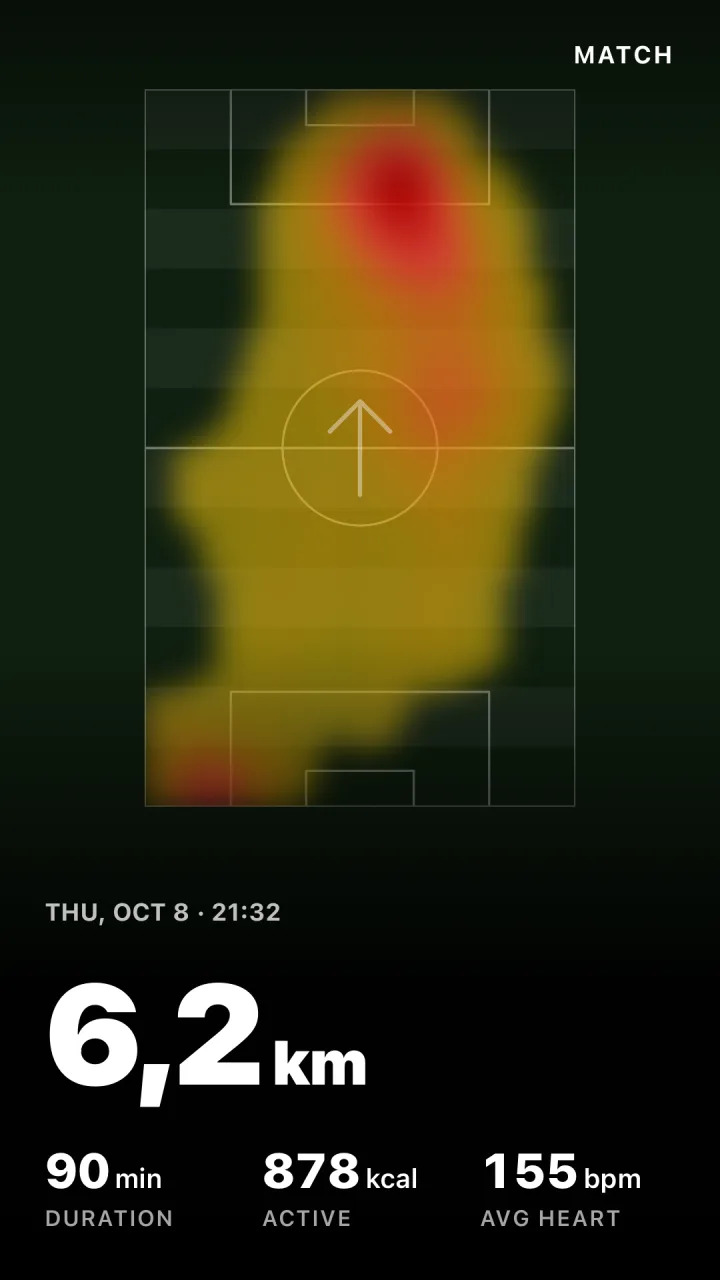
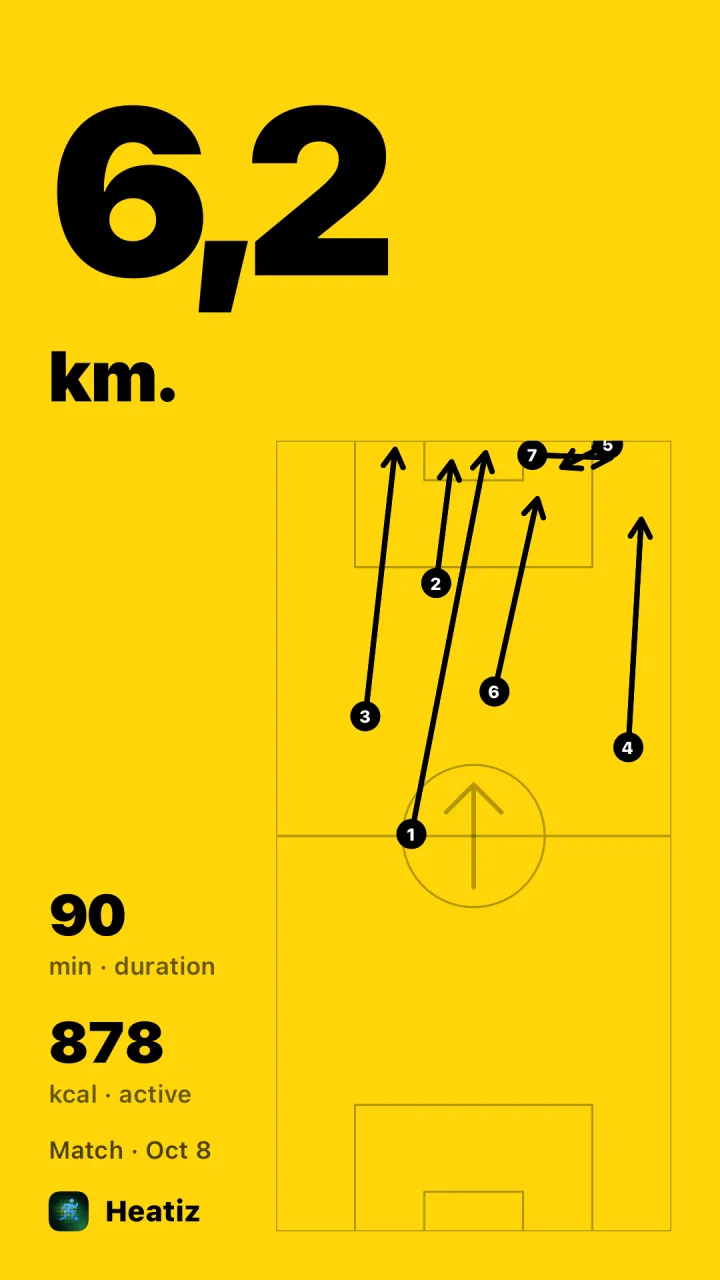
Two share cards from the same match: the heatmap and every sprint.
Your data stays in Apple Health and your iCloud, unless you choose to share it to Strava.
It’s live
Heatiz is now on the App Store. It also runs on iPhone Duo, and you can import your older matches from Apple Health, so your season doesn’t start empty.
I built Heatiz because I wanted it after every match. If you play football and wear an Apple Watch, I hope you’ll want it too. Try it, share a heatmap, and tell me what’s missing.