Trying Xcode 27 Beta with Intelligence on a World Cup diary app
Currently publishing my World Cup 26 diary from this app, live at worldcup26. Source on GitHub: musakokcen/WWDCWorldCup2026.
I was watching WWDC, and with the impact of so many Intelligence features, I immediately downloaded the new Xcode and connected my agent subscription. After this video Create UI prototypes using agents in Xcode, I wanted to deep dive into this. The agent experience in Xcode 26 was really awful, signing in again and again, results that don’t compile, so these videos were promising, and I wanted a nice side project to experiment with them on.
It was World Cup 2026, right after WWDC. As a football fan I watch a lot of games and wanted to write about them, so the idea of a diary app emerged, share my takes on my blog, directly from the app. This wasn’t about putting what I already knew into practice, but about orchestrating agents in Intelligence, an afternoon of learning the prototyping flow, experimenting with the designs, and building something that compiles.
Prototyping by asking for alternatives
I’ve been using Claude Design lately, and while it makes nice designs, editing them once created was the pain point. So I’d been wanting to build the UI with SwiftUI previews, and WWDC released a video right on that thought. I iterated on designs with the agents, asking for alternatives and previews with just static data, no business logic. Then I picked the ones I liked, took them as a reference for the other views like a design system, and started developing features.
For the match / diary detail screen, this is what it gave me back, all live SwiftUI previews I could actually play with:
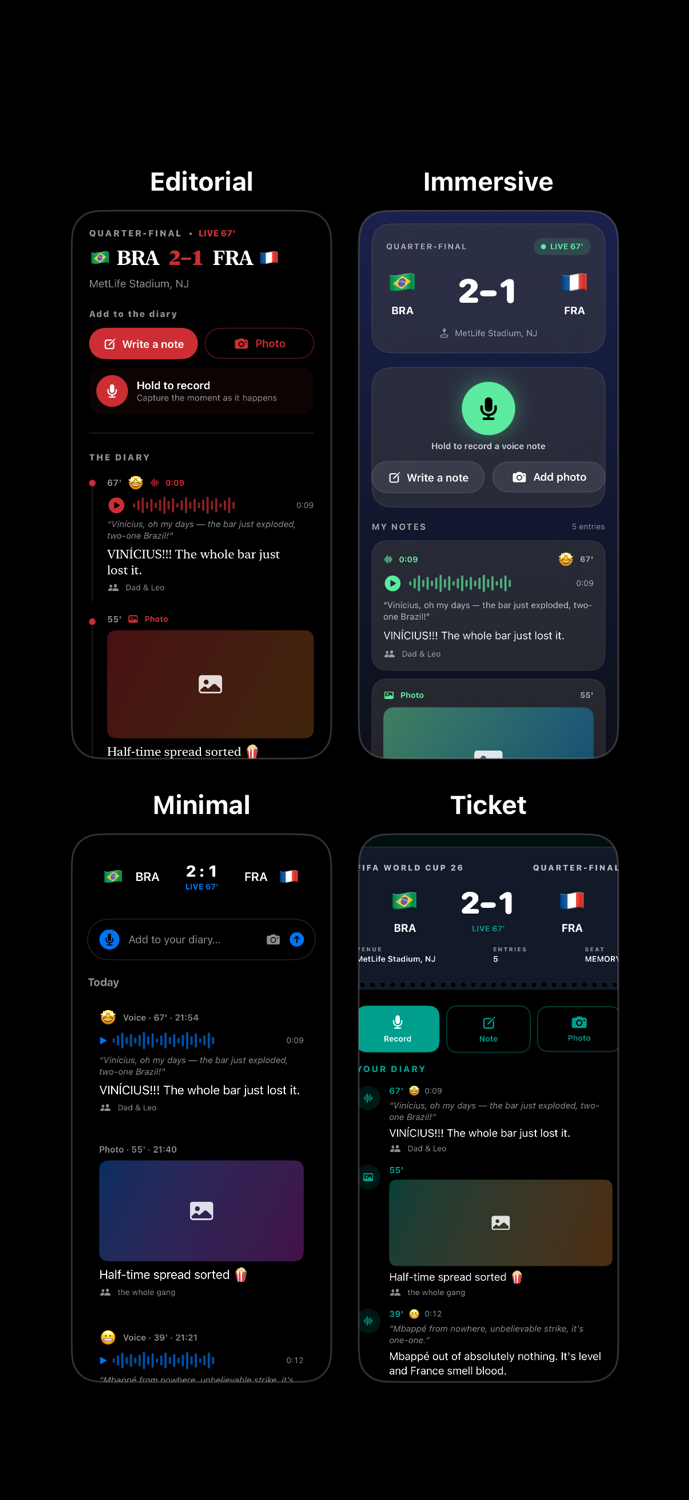
Four directions for the match detail screen: Editorial, Immersive, Minimal, and Ticket.
Seeing them together made the choice obvious in a way a written brief never could. I went with Editorial with some deeper iterations, button relocations, etc., because it put the writing front and centre, which was the whole point.
I did the same for the launch screen, and here the agent went wide, an aurora field, a collectible ticket, bold kinetic type, sweeping stadium spotlights:
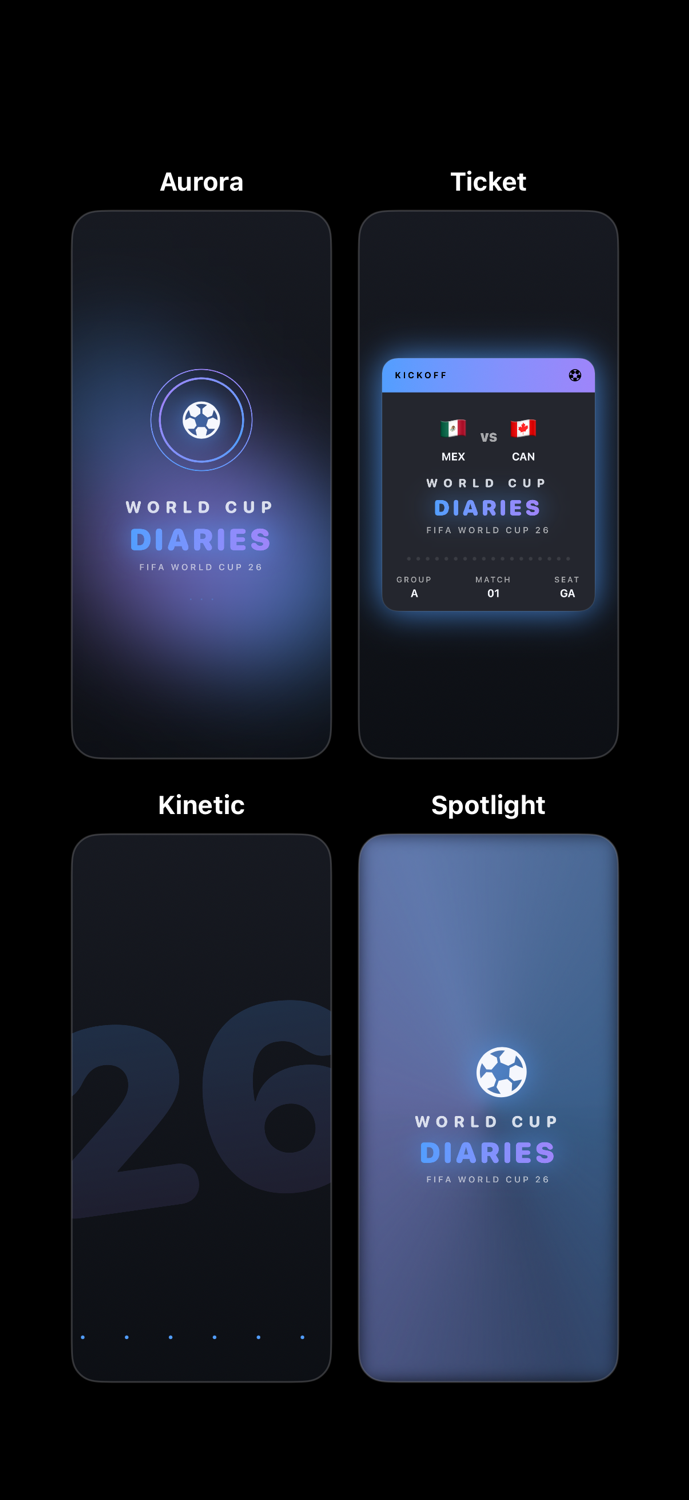
Launch screen explorations. Most were too loud for a quiet diary app.
These designs weren’t already in my head. Seeing different directions inspired me and let me take things further, instead of getting stuck finding the right icon name for a button, putting them in an HStack, and writing boilerplate.
What it actually felt like
The biggest win wasn’t speed, it was seeing three or four credible designs at once and choosing between them. On top of that, editing the created designs, either by hand in SwiftUI or through the agents, is a comfortable process.
Where it leaves me
I wired up the features once the UI and flow were settled. The app shows the fixtures, or an active game’s detail screen directly, and I can write a note in different ways, for instance press-and-talk that gets transcribed, then publish it straight to my blog.
Making it to the level of properly publishing to my blog took much longer than I expected. My first notes went out more than a week after I started, and for complex features specific to certain devices and iOS versions I had to guide the agent in detail.
My take is that Xcode 27 with Intelligence is very reliable. The builds never failed and the results were consistent. The most fun part was the SwiftUI previews, easy to create and iterate on, which is exactly where the agent was most practical. I enjoyed working this way a lot.